
Not sure if Buildium is the right property management software for you? You’re in the right place.
Buildium is trusted by more than 7,000 property management companies. You can use it to manage residential rentals, commercial properties, student housing, affordable housing, and HOAs.
Whether you manage 50 units or 5,000+, Buildium is built to grow with your business. It’s easy to learn, the tenant and owner portals are simple to use, and the built-in accounting tools, including 1099 reporting, help you manage your finances without extra software.
For this review, we looked closely at Buildium’s features, pricing, and overall value. We also analyzed hundreds of customer reviews across G2, Capterra, Software Advice, Reddit, and community forums to understand which features users genuinely like, what frustrations come up repeatedly, and who Buildium is best suited for.
By the end, you’ll know if Buildium is the right fit for your business or if you should consider another property management platform.
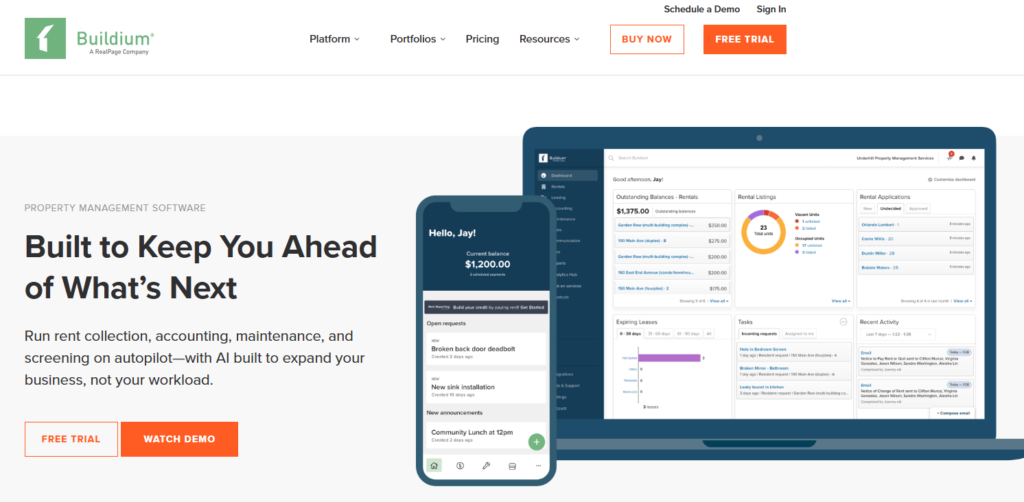
Buildium Standout Features
Buildium does a lot. But some tools stand out more than others. Here’s what you actually get.
1. Online Rent Collection
Your tenants can pay rent online through their tenant portal using a bank transfer (ACH) or a credit card. If they don’t want to remember the due date every month, they can simply turn on autopay. After that, the rent is paid automatically.
On your end, you don’t have to keep checking your bank account or update spreadsheets. Buildium marks payments as received and records everything for you.
If a tenant misses the due date, the software can automatically add a late fee based on your lease terms. It can also send payment reminders, so you don’t have to follow up every time.
2. Tenant Screening
Buildium helps you screen tenants before you hand over the keys.
You can run credit checks, background checks, and eviction history right from your dashboard. The reports are powered by TransUnion, so you don’t need a separate screening tool.
Everything stays in one place. You can review each applicant’s report and compare multiple applications together. This makes it easier to spot red flags, choose the right tenant for your vacant units.
3. Accounting and Financial Reporting
This is Buildium’s best feature. The accounting was built for property managers.
It automatically records rent payments, owner payouts, maintenance bills, and vendor payments. You can track income and expenses, reconcile bank accounts, pay vendors, and generate owner statements from one dashboard.
It also supports 1099 e-filing, making tax season easier.
4. Maintenance Management
Your tenants can submit maintenance requests through their portal, along with photos if needed. Each request turns into a work order that you can assign to a vendor.
You can track the progress, update the status, and see what’s completed, all from one place.
This helps you stay on top of repairs and makes sure nothing gets missed.
5. Owner Portal
Your property owners have their own portal here. They can log in anytime to check rent payments, owner statements, expenses, lease details, and maintenance updates.
This means they don’t have to email or call you for regular updates. They can find the information they need whenever they want.
6. Tenant Portal
Tenants get their own login too. They pay rent, file repairs, and read documents there. It works on the phone. And it’s open 24/7. So tenants help themselves instead of calling you.
7. Lease Management
Buildium keeps all your lease documents in one place. You can track lease start dates, end dates, renewals, and rent increases.
When a lease is about to expire, you can quickly see what needs your attention. Everything stays connected to the right property and tenant, so it’s easy to find when you need it.
8. Marketing and Vacancy Listings
Empty units cost you money. Buildium helps fill them fast.
You get a free property website. Create a property listing once and publish it to multiple rental websites (Zillow, Trulia, and Apartments.com.). When someone applies, their application comes straight into Buildium. You can then review it and start the screening process without switching between different tools.
9. Mobile App
The Buildium mobile app helps you manage your properties on the go.
You can check
- Rent payments
- Review maintenance requests
- Message tenants, and
- Access property details from your phone
For day-to-day tasks, the app works well. But for accounting and detailed reports, you’ll still want to use the desktop version.
11. Reporting and Analytics
Buildium comes with standard reports built-in.
You can generate reports on rent, expenses, payments, and more. Higher plans also give you deeper insights into how your properties are performing.
12. Integrations and Open API
Buildium connects with more than 50 third-party proptech apps and business tools. If you already use other software, you can connect it with your Buildium account instead of switching between platforms.
If you’re on the top-tier plan, you also get access to the Open API. This lets you build custom integrations and connect your own software directly to your Buildium dashboard.
13. HOA and Association Management
Buildium isn’t just for rentals. It manages HOAs and community associations too.
You track violations, run association accounting, and handle board communications in one place. Very handy if you manage both rentals and HOAs.
Read More About: Best HOA Accounting Software
Buildium Pricing 2026: How much does it cost?
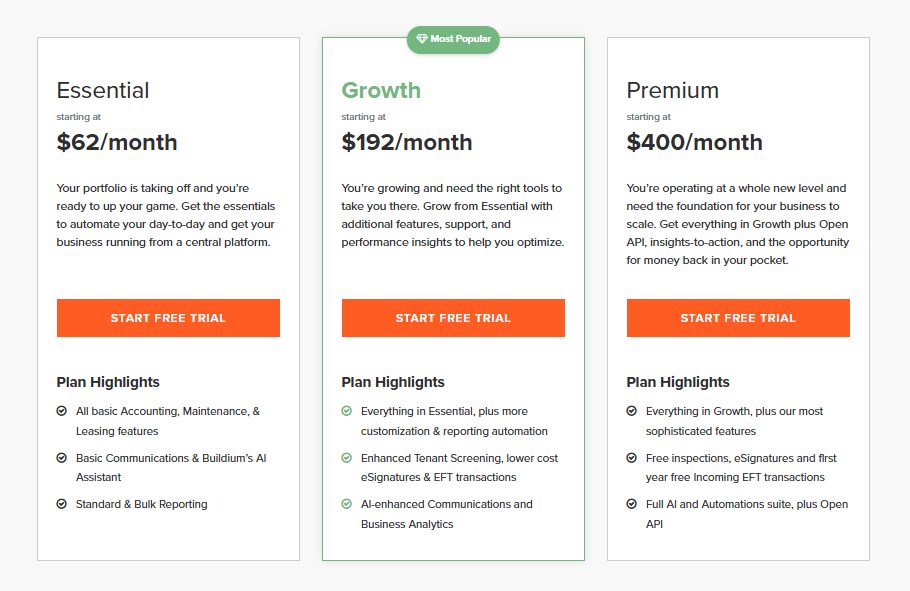
Buildium offers three pricing plans:
| Plan | Starting Price | Best For |
| Essential | $62/month | Smaller portfolios |
| Growth | $192/month | Growing property management companies |
| Premium | $400/month | Large teams that need API access and priority support |
Keep in mind that pricing increases as your unit count grows. Annual billing can also lower your overall cost.
Additional Fees to Consider
The monthly subscription isn’t the only cost. Some features come with extra transaction fees.
| Fee | Essential | Growth | Premium |
| Incoming EFT Payments | $2.35 each | $1.35 each | Free for 12 months, then $0.60 |
| eSignature | $5 per document | $1 per document | Free |
| Bank Account Setup | $99 each | 10 free | 100 free |
| Tenant Screening | $17 each | $17 each | $17 each |
If you manage 100 units on the Essential plan, rent payment fees alone could add about $235 per month. Your total bill may end up closer to $300–$400, not just $62.
For many growing companies, the Growth plan is often the better value, due to his lower transaction fees. One last thing: Buildium is owned by RealPage, and pricing has increased several times in recent years. It’s worth planning for future price increases as your portfolio grows.
Before choosing a plan, make sure you look at both the subscription cost and the additional fees you’ll pay as your portfolio grows.
Buildium: Pros And Cons
Pros
- Easy to use
- Strong accounting
- Tenant & owner portals
- Built-in tenant screening
- Online rent collection
-
50+ integrations
Cons
- Extra transaction fees
- Limited custom reports
- Phone support costs more
- Desktop works better than mobile
- Pricing grows with your portfolio
-
Open API is available in Premium only
What Buildium Users Liked And Disliked In Detail
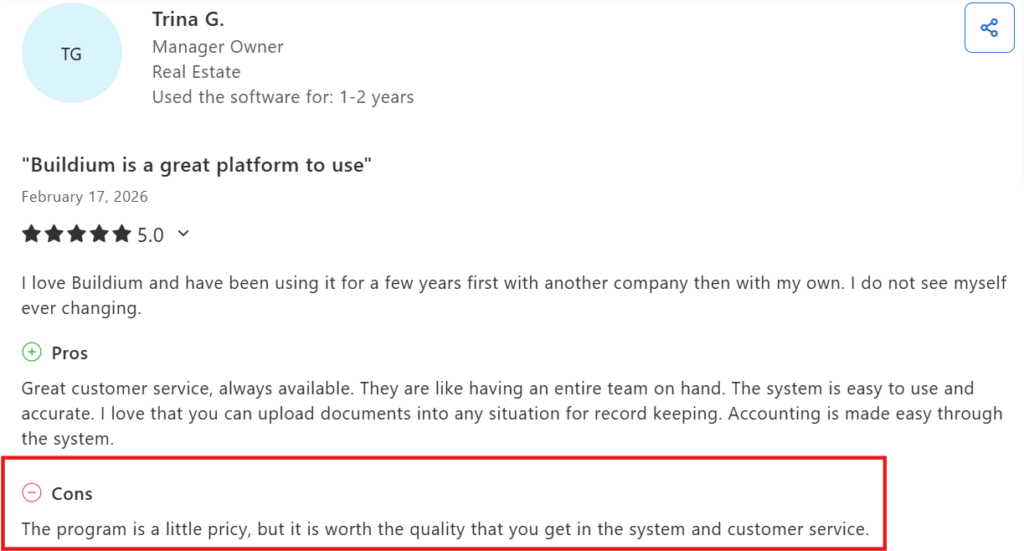
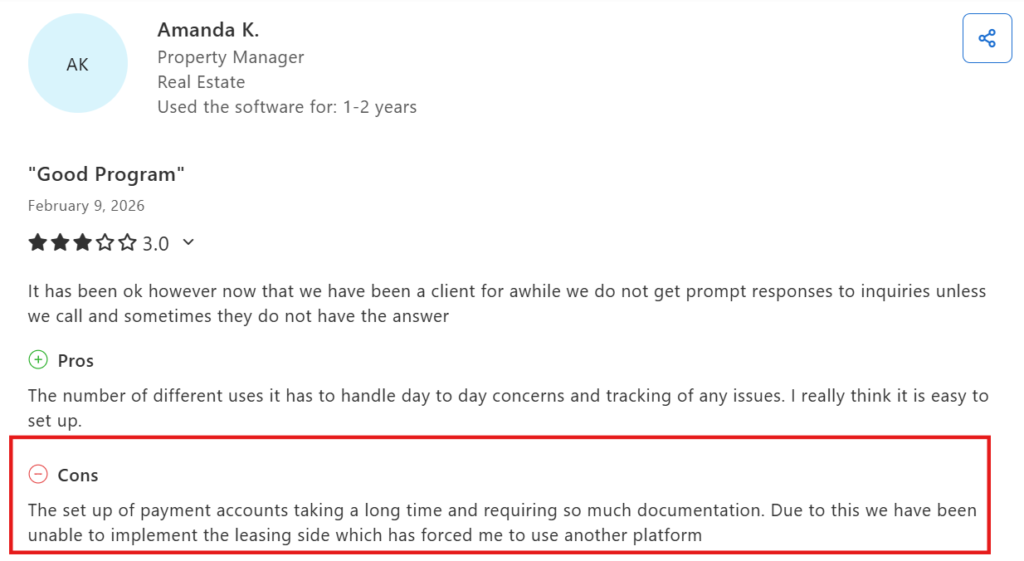
We read hundreds of Buildium reviews across G2, Capterra, Software Advice, Reddit, and Trustpilot to find the patterns.
Instead of focusing on one-off opinions, we looked at what customers mentioned repeatedly.
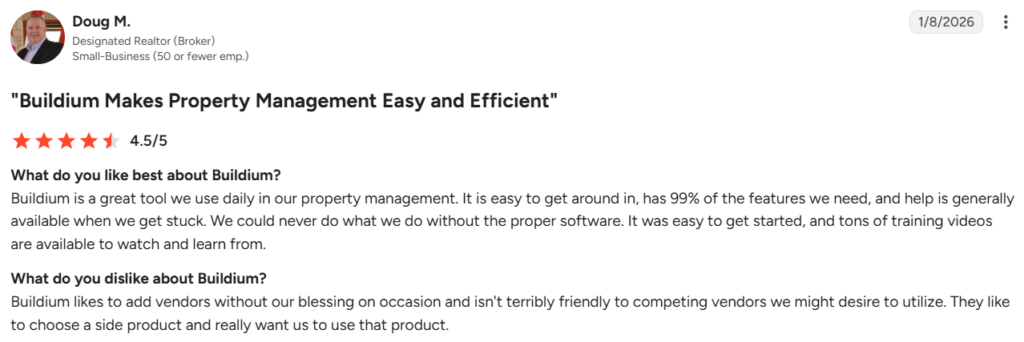
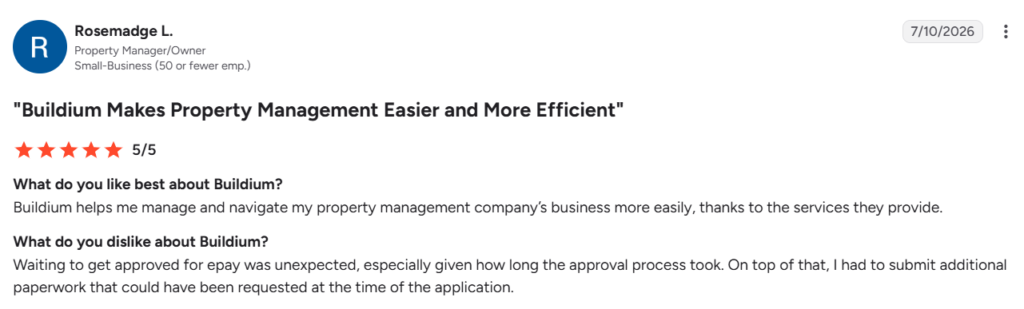
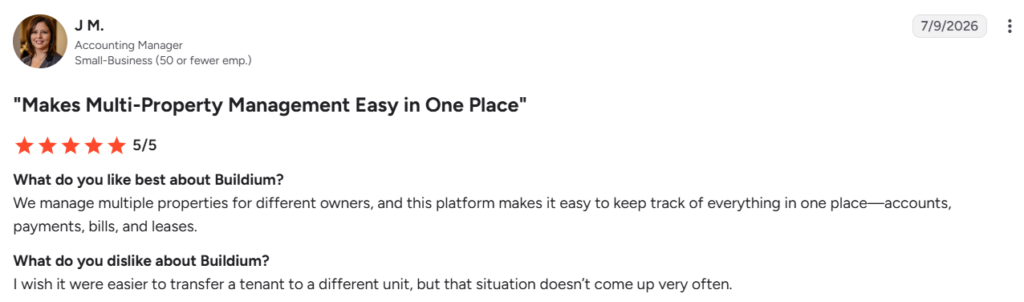
Here’s what users consistently Liked
- Easy to learn and use. Many users said you can get started quickly without a steep learning curve.
- Everything in one place. You can manage accounting, rent payments, leases, bills, maintenance, and tenant information from a single dashboard.
- Easy to find tenant information. Users liked how quickly they could access tenant and homeowner details when needed.
- Helpful mobile app. Manage day-to-day tasks even when you’re away from the office.
- Time-saving automations. Automated reminders and online payments help reduce manual work.
- Useful training resources. Many users said the training videos made it easier to learn the platform.
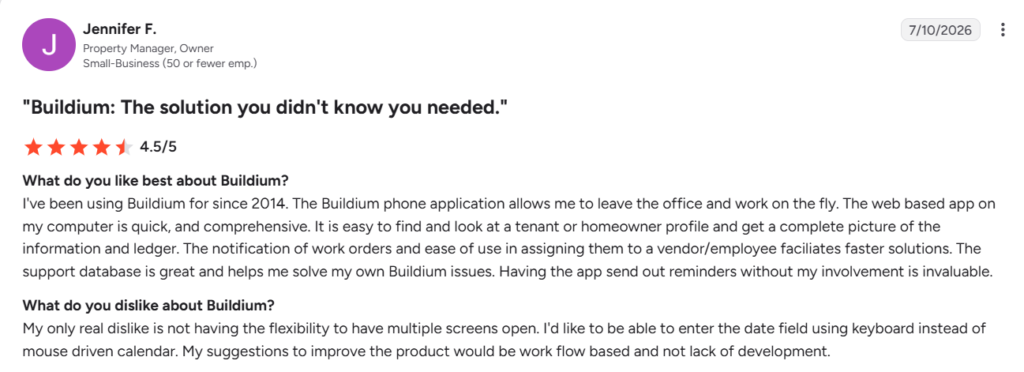
What users didn’t like
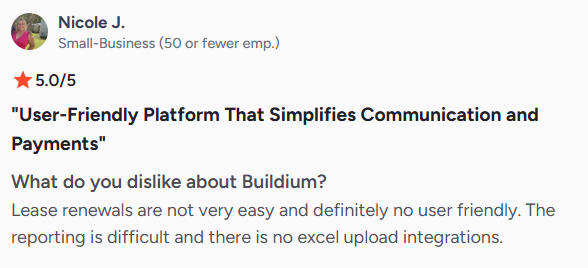
- Transaction fees can increase your costs. Several users said the extra fees for online payments made the platform more expensive than expected.
- Limited report customization. A few users felt the reporting options could be more flexible.
- Banking setup can be confusing. Some users said it took time to understand the initial setup.
- Bank reconciliation has a learning curve. A few reviewers mentioned it takes time to get comfortable with the accounting features.
Buildium Vs AppFolio Vs DoorLoop Vs TenantCloud: How Does Buildium Compare to Competitors?
If you’re comparing Buildium with other property management software, these are the three biggest alternatives.
| Feature | Buildium | AppFolio | DoorLoop | TenantCloud |
| Starting Price | $62/month | $280/month minimum | $69/month | $15/month |
| Best For | 50–1,000 units | 500+ units | Small to mid-sized portfolios | Individual landlords and small portfolios |
| Ease of Use | Very easy | Moderate | Very easy | Easy |
| Accounting | Strong | Advanced | Strong | Basic to moderate |
| Integrations | 50+ integrations | Good | Growing integration library | Limited |
| HOA Management | Yes | Yes | Yes | No/limited |
| Owner Portal | Yes | Yes | Yes | Available on higher plans |
Which One Should You Choose?
- Choose Buildium if you want a balance of features, easy setup, and strong accounting.
- Choose AppFolio if you manage a large portfolio and need more advanced tools.
- Choose DoorLoop if you prefer a modern interface with simple pricing.
- Choose TenantCloud if you manage a few properties and want the lowest-cost option.
Is Buildium Worth It in 2026?
Yes. For most managers, Buildium is worth it.
It’s one of the easiest property management platforms to run. The accounting is strong. The portals keep tenants and owners happy. And your team can learn it fast.
Buy it if you manage 50 to 1,000 units. It works well for single-family rentals, small multifamily properties, and HOAs. Look elsewhere if you run 2,000+ units. Or if you need heavy custom reports and a deep API.
One thing to keep in mind is the pricing. The starting plan ($62) looks affordable, but transaction fees can increase your monthly cost as your portfolio grows.
So, yes for the average property manager, Buildium works well at a fair price.
If you’re still unsure, you can start with Buildium’s 14-day free trial. It gives you a chance to explore the platform and see if it fits your workflow before you commit.
